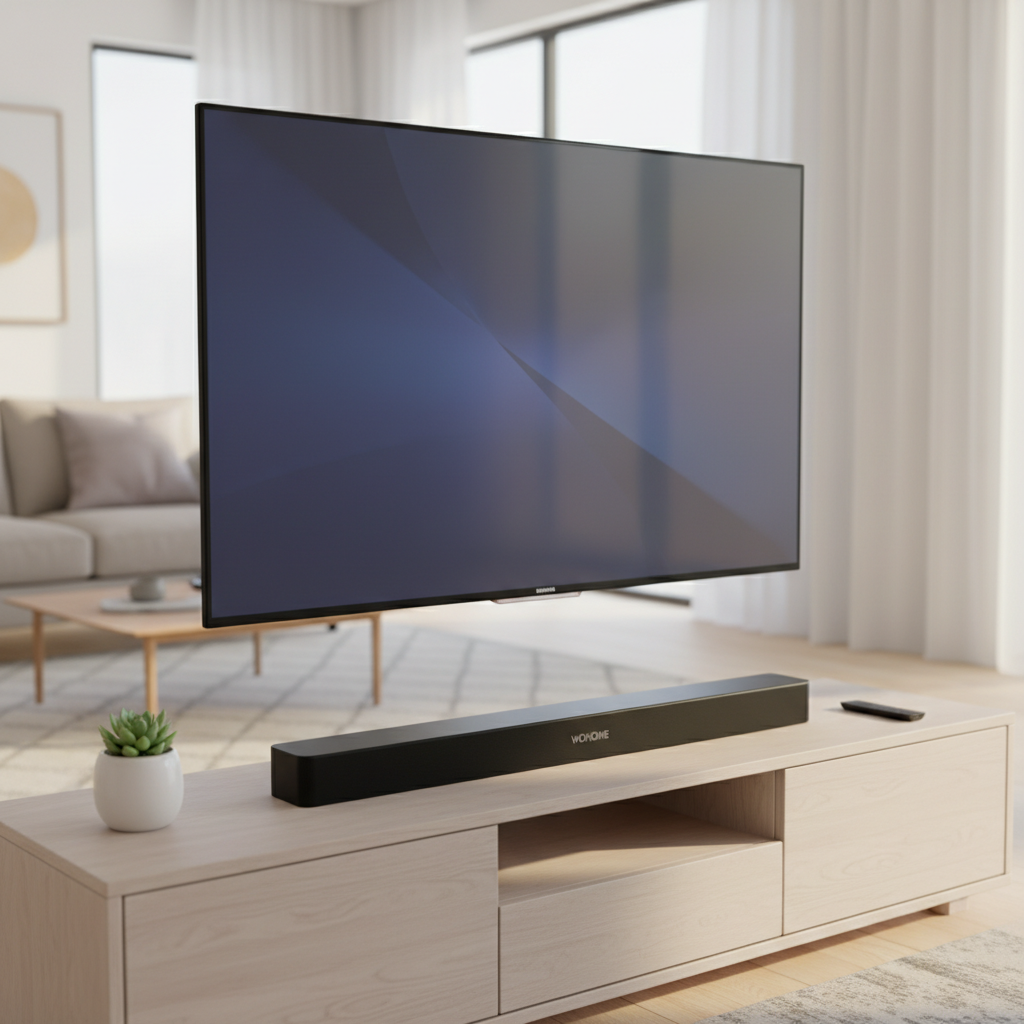
In the rapidly evolving world of home entertainment, superior audio is no longer a luxury but a fundamental component of an immersive experience. While modern televisions boast stunning visuals, their built-in speakers often fall short, delivering thin, uninspiring sound. This gap in audio performance can significantly detract from your movies, music, and gaming. The solution lies in a high-quality soundbar, and for those seeking seamless streaming and smart home integration, a soundbar with built-in Chromecast is a game-changer. These intelligent audio devices not only elevate your cinematic soundscapes but also transform your living space into a connected audio hub, allowing you to stream your favorite tunes effortlessly from any compatible device.
This comprehensive guide will delve into the world of Chromecast-enabled soundbars, exploring their benefits, reviewing top models, and outlining the essential factors to consider before making your purchase. Whether you’re a movie enthusiast, a music lover, or someone looking to enhance their smart home ecosystem, discovering the perfect soundbar with built-in Chromecast can unlock a new dimension of audio enjoyment.
The Power of Chromecast in Your Soundbar
Chromecast Built-in, also known as Google Cast, is a technology developed by Google that allows you to stream audio (and video, though primarily audio for soundbars) from your phone, tablet, or computer directly to your soundbar over Wi-Fi. This differs significantly from Bluetooth, offering a host of advantages for a superior listening experience.
With Chromecast Built-in, your device acts purely as a remote control, allowing the soundbar to pull the audio directly from the internet. This means higher fidelity audio, as Wi-Fi offers greater bandwidth than Bluetooth, enabling uncompressed or less compressed audio streams. The benefits extend beyond sound quality; Chromecast allows for true multi-room audio, enabling you to group multiple compatible speakers and soundbars to play music throughout your home in perfect sync. Furthermore, it supports Google Assistant integration, turning your soundbar into a smart speaker capable of responding to voice commands for music playback, information, and smart home control, even when your TV is off.
Top Soundbars with Built-in Chromecast: Our Picks
Choosing the right soundbar can be daunting with the array of options available. Here are some of the best soundbars currently on the market that feature built-in Chromecast, catering to different budgets and preferences.
Polk Signa S3: The Affordable All-Rounder
|
Our Picks for the Best Soundbar in 2026
As an Amazon Associate I earn from qualifying purchases.
|
||
| Num | Product | Action |
|---|---|---|
| 1 | Samsung B-Series Soundbar HW B400F 2.0 ch Soundbar with Built in Subwoofer (2025 Model) One Remote Control, Surround Sound Expansion, Voice Enhance Mode |

|
| 2 | Amazon Fire TV Soundbar, 2.0 speaker with DTS Virtual:X and Dolby Audio, Bluetooth connectivity |
|
| 3 | Sony S100F 2.0ch Soundbar with Bass Reflex Speaker, Integrated Tweeter and Bluetooth, (HTS100F), easy setup, compact, home office use with clear sound black |
|
| 4 | ULTIMEA Sound Bar with Wireless Subwoofer, 240W Peak Power, VoiceMX & BassMX, App Control, 2.1ch Soundbar for Smart TV, Adjustable Bass, HDMI, Optical, Bluetooth 6.0, Poseidon M30 (2026 Model) |
|
| 5 | ULTIMEA 2.1ch Surround Sound Bar for TV, Built-in Subwoofer, Peak Power 132W, App Control, 16 Inches Bluetooth 5.4 TV Speakers Soundbar, All-in-one PC Soundbar, Opt/AUX/Wall Mount, Poseidon M20 Pro |
|
| 6 | Sonos Arc Ultra Soundbar with Dolby Atmos and Voice Control - 9.1.4 Surround Sound for TV and Music - Black |
|
| 7 | Sound Bar for Smart TV, Soundbar with Bluetooth/ARC/Opt/AUX Connect, Auto Volume Boost, 3 Equalizer Modes, 2 in 1 Detachable Soundbar for TV/PC/Gaming/Projectors |
|
| 8 | ULTIMEA 5.1CH Surround Sound Bar with Subwoofer, Dolby Atmos, VoiceMX, BassMX, APP, 300W Soundbar for Smart TV, Home Theater Surround Sound System for TV, Bluetooth 5.4, Poseidon M60 (2026 Model) |
|
| 9 | Bose TV Speaker - Soundbar for TV with Bluetooth and HDMI-ARC Connectivity, All-in-One Compact Soundbar, Includes Remote Control, Black |
|
| 10 | Sound Bar, 80W SoundBar for Smart TV, Bluetooth 5.3 Soundbars, 2 in 1 Detachable Home Speaker Bass Effect, Home Theater Surround Sound, ARC/Optical/AUX, for TV/PC/Gaming/Projectors (Deep Black) |
|
The Polk Signa S3 stands out as an excellent option for those seeking quality audio with the convenience of Chromecast without breaking the bank. This soundbar is designed to deliver a significant upgrade over standard TV speakers, providing clear dialogue and a robust soundstage for both movies and music.
It includes a wireless subwoofer that adds impressive bass depth, handling explosions in films with powerful impact and giving music a fuller, richer feel. Beyond its Chromecast Built-in capabilities, the Signa S3 also offers Bluetooth connectivity and an HDMI input, ensuring versatile connection options for various devices. It’s particularly well-suited for music lovers who appreciate seamless streaming and for individuals looking to enhance their TV audio in a budget-conscious manner. The Polk Signa S3 delivers a natural and enjoyable audio experience that belies its accessible price point.
Harman Kardon Enchant 1100: Premium Sound with Smart Connectivity
The Harman Kardon Enchant 1100 is a sophisticated soundbar that blends elegant design with powerful, immersive audio performance and comprehensive smart features. It’s engineered to bring a true home theater experience into your living room without cluttering it with wires.
This soundbar boasts eleven drivers, including physical up-firing speakers for compelling Dolby Atmos height effects. Its MultiBeam technology creates a wide soundstage that stretches effects beyond the physical confines of the bar, while PureVoice technology ensures crystal-clear dialogue. Connectivity is a major strength, featuring an HDMI input, HDMI eARC output (supporting HDR10 and Dolby Vision passthrough), optical, Ethernet, and dual-band Wi-Fi. Crucially, it includes Chromecast Built-in, AirPlay, and Spotify Connect for extensive music streaming options. The Enchant 1100 also offers in-app room calibration to optimize sound for your specific space and can be expanded with an optional subwoofer and wireless rear speakers for a full 7.1.4 surround sound system. It’s an ideal choice for users who prioritize both immersive sound quality and a robust, connected streaming ecosystem.
KEF XIO: Audiophile-Grade Immersion
The KEF XIO is a flagship soundbar designed for serious listeners who demand audiophile-grade sound and premium features. KEF’s first foray into soundbars, the XIO brings its renowned Hi-Fi pedigree to the home theater space, making it feel more like a high-end audio component than a simple TV accessory.
Featuring a true 5.1.2 layout with dedicated up-firing drivers and KEF’s Uni-Q MX driver array, the XIO delivers wide, even sound dispersion and natural midrange clarity, creating convincing height effects and smooth effects panning. Its force-cancelling racetrack woofers produce tight, fast bass without boominess. For streaming, KEF’s W2 platform provides Google Cast, AirPlay 2, Spotify Connect, and TIDAL Connect, alongside high-resolution playback capabilities, making it exceptionally strong for dedicated music listening. Intelligent Placement Technology offers guided room calibration, ensuring optimal performance in any room. While a standalone powerhouse, it can be paired with a KEF KC62 subwoofer for even greater impact and headroom. The KEF XIO is perfect for those seeking sleek design, uncompromised audio fidelity, and advanced streaming functionality.
Bluesound Pulse Cinema: For the Hi-Res Music Enthusiast
For users whose passion for music rivals their love for movies, the Bluesound Pulse Cinema is an outstanding choice. This soundbar integrates true up-firing drivers for realistic Dolby Atmos effects with Bluesound’s acclaimed BluOS platform, known for its high-resolution audio capabilities and multi-room functionality.
The Pulse Cinema boasts an impressive array of streaming options, including AirPlay 2, Spotify Connect, TIDAL Connect, Bluetooth with aptX Adaptive, hi-res playback up to 24-bit/192 kHz, DSD support, and Roon-Ready certification. This makes it one of the most comprehensive platforms for serious music listeners. It offers a dedicated center channel for clear dialogue and solid power. While it lacks automatic room calibration, in-app tuning allows for precise sound optimization. The Pulse Cinema seamlessly integrates with existing BluOS systems, making it a natural extension for those already invested in the ecosystem. Its expandability with the Bluesound SUB+ and wireless rear speakers further enhances its cinematic immersion, delivering transparent, detailed sound for both films and high-resolution music.
Klipsch Flexus Core 300: Dynamic Sound with Google Cast
The Klipsch Flexus Core 300 offers a dynamic and impactful audio experience with the added benefit of Google Cast. As part of Klipsch’s collaboration with Onkyo, this soundbar brings a robust sound profile to a single-bar system. It supports Wi-Fi for streaming services via Google Cast and AirPlay, providing versatile wireless connectivity. The Flexus Core 300 is designed to deliver a powerful listening experience, particularly for those who appreciate strong bass and exceptional dynamics even without a separate subwoofer. It includes HDMI eARC connectivity, ensuring compatibility with modern TVs and enhanced audio return capabilities. While providing a muscular sound from a compact form factor, it also leaves room for future expansion with optional subwoofers and surround speakers for an even more enveloping soundstage.
Essential Factors When Choosing Your Chromecast Soundbar
Selecting the ideal soundbar with Chromecast Built-in involves more than just picking a brand. Several key factors should influence your decision to ensure it perfectly matches your needs and living space.
Sound Quality & Audio Formats
The primary purpose of a soundbar is to enhance audio quality. Look for support for advanced audio formats like Dolby Atmos and DTS:X, which create a three-dimensional soundscape with height effects. For true immersion, soundbars with physical up-firing drivers are generally superior to those relying solely on virtual processing. Consider specifications like frequency response (a wider range indicates better sound reproduction) and total wattage (though not always a direct indicator of quality, it gives a sense of power). Clear dialogue is crucial for movies and TV, so features like dedicated center channels or dialogue enhancement modes are highly beneficial.
Connectivity Options
Connectivity is paramount for a versatile soundbar. HDMI ARC (Audio Return Channel) or eARC (enhanced Audio Return Channel) is the preferred connection, allowing for higher-resolution audio (including Dolby Atmos) and control of the soundbar volume with your TV remote. Ensure your TV also supports ARC/eARC. Other important connections include optical for older TVs, Bluetooth for quick wireless pairing from any device, and Wi-Fi/Ethernet for stable, high-quality streaming via Chromecast and other smart platforms. Multiple HDMI inputs can be valuable if you have several external media devices.
System Expandability: Subwoofers and Surrounds
While standalone soundbars offer a significant improvement over TV speakers, many models can be expanded for a more immersive home theater experience. Soundbars bundled with a wireless subwoofer (2.1 systems) greatly enhance bass response, adding depth and impact to movies and music. For true surround sound, some soundbars allow you to add wireless rear speakers (e.g., 5.1, 5.1.2 systems). If you envision building a more comprehensive system over time, choose a soundbar that supports these expandability options.
Size and Design
The physical dimensions of your soundbar should complement your TV and living space. A common guideline is to choose a soundbar that is roughly the same width as your television for a visually balanced setup. Consider whether the soundbar will sit on an entertainment console or be wall-mounted, and check its height to ensure it doesn’t block your TV’s IR receiver. Modern soundbars come in various aesthetic styles, from minimalist to more pronounced designs, allowing you to find one that harmonizes with your home décor.
Smart Features & Voice Control
Beyond Chromecast, many soundbars offer additional smart features. These can include support for other streaming protocols like Apple AirPlay 2 and Spotify Connect, or integration with smart assistants such as Google Assistant or Amazon Alexa. While Chromecast Built-in inherently allows for Google Assistant control through a linked smart speaker, some soundbars may have the assistant directly built-in with far-field microphones for hands-free commands. Room correction technologies, such as KEF’s Intelligent Placement Technology or Harman Kardon’s in-app calibration, are also valuable smart features that analyze your room’s acoustics and optimize the soundbar’s output for the best possible audio experience.
Budget Considerations
Soundbars are available across a broad price spectrum, from budget-friendly options under $300 to high-end systems exceeding $1,000. Establish a realistic budget based on your priorities. If you’re a casual listener looking for a basic upgrade, an entry-level Chromecast soundbar might suffice. However, if you’re an audiophile or home theater enthusiast seeking premium sound, Dolby Atmos, and extensive smart features, prepare to invest more. It’s often advisable to find the best soundbar within your budget that offers the core features you value most.
How to Get the Most Out of Your Chromecast Soundbar
Once you’ve selected your ideal Chromecast soundbar, a few tips can help you maximize its potential. Setting up multi-room audio groups through the Google Home app is straightforward and lets you synchronize music across your soundbar and other compatible smart speakers. This creates a cohesive audio experience throughout your home, perfect for entertaining or background music.
Leverage Google Assistant for hands-free control by simply saying, “Hey Google, play my party playlist on the living room soundbar and kitchen speaker group.” Experiment with your soundbar’s listening modes – many offer presets for movies, music, news, or night mode. Optimizing these settings can dramatically enhance your audio, making movie dialogue clearer or music more dynamic. Finally, ensure your soundbar’s firmware is always updated to benefit from the latest features, performance improvements, and security patches.
Conclusion
The integration of Chromecast Built-in transforms a mere sound enhancement device into a versatile, connected audio powerhouse. For those eager to cut the cord, simplify their streaming, and integrate their home audio with smart assistant ecosystems, a soundbar with built-in Chromecast is an indispensable component of the modern living room. From affordable entry points like the Polk Signa S3 to audiophile-grade systems like the KEF XIO, there’s a Chromecast-enabled soundbar designed to meet every need and budget. By prioritizing sound quality, connectivity, expandability, and smart features, you can confidently choose a device that not only elevates your entertainment but also enhances your daily life. It’s time to move beyond your TV’s limited speakers and embrace an expansive, intelligent audio experience.
What features do you value most in a soundbar, and how might Chromecast enhance your current audio setup?
Frequently Asked Questions
What is the difference between Chromecast and Bluetooth for audio?
Chromecast streams audio over Wi-Fi, offering higher bandwidth for uncompressed or less compressed sound quality and enabling multi-room audio capabilities. Bluetooth streams directly between two devices using a shorter-range radio frequency, often with more audio compression, and typically doesn’t support multi-room playback.
Can I use a Chromecast soundbar without a TV?
Yes, absolutely. A major benefit of soundbars with Chromecast Built-in is their ability to function as standalone music streaming devices. You can cast music directly from your phone or tablet to the soundbar over Wi-Fi, even with your TV turned off, making it a central part of your home audio system.
Do all soundbars with Wi-Fi have Chromecast?
No, not all Wi-Fi-enabled soundbars include Chromecast. While Wi-Fi is essential for Chromecast, many soundbars use their own proprietary Wi-Fi streaming platforms (like Sonos’s system or Yamaha’s MusicCast) or support other universal protocols like Apple AirPlay 2. Always check the product specifications to confirm “Chromecast Built-in” or “Google Cast.”
How does Chromecast affect audio quality?
Chromecast generally provides superior audio quality compared to Bluetooth because it utilizes Wi-Fi, which has a higher bandwidth. This allows for the transmission of higher-resolution, less compressed audio files, resulting in a richer, more detailed, and more faithful reproduction of your music.
Can I add a Chromecast dongle to any soundbar?
While you can connect a Chromecast Audio (if you can find one, as they are discontinued) or a regular Chromecast dongle to a soundbar via an optical or HDMI input, it’s generally a less seamless solution than having Chromecast Built-in. A built-in system allows for direct streaming and often better integration with multi-room audio and voice control without needing to switch inputs.