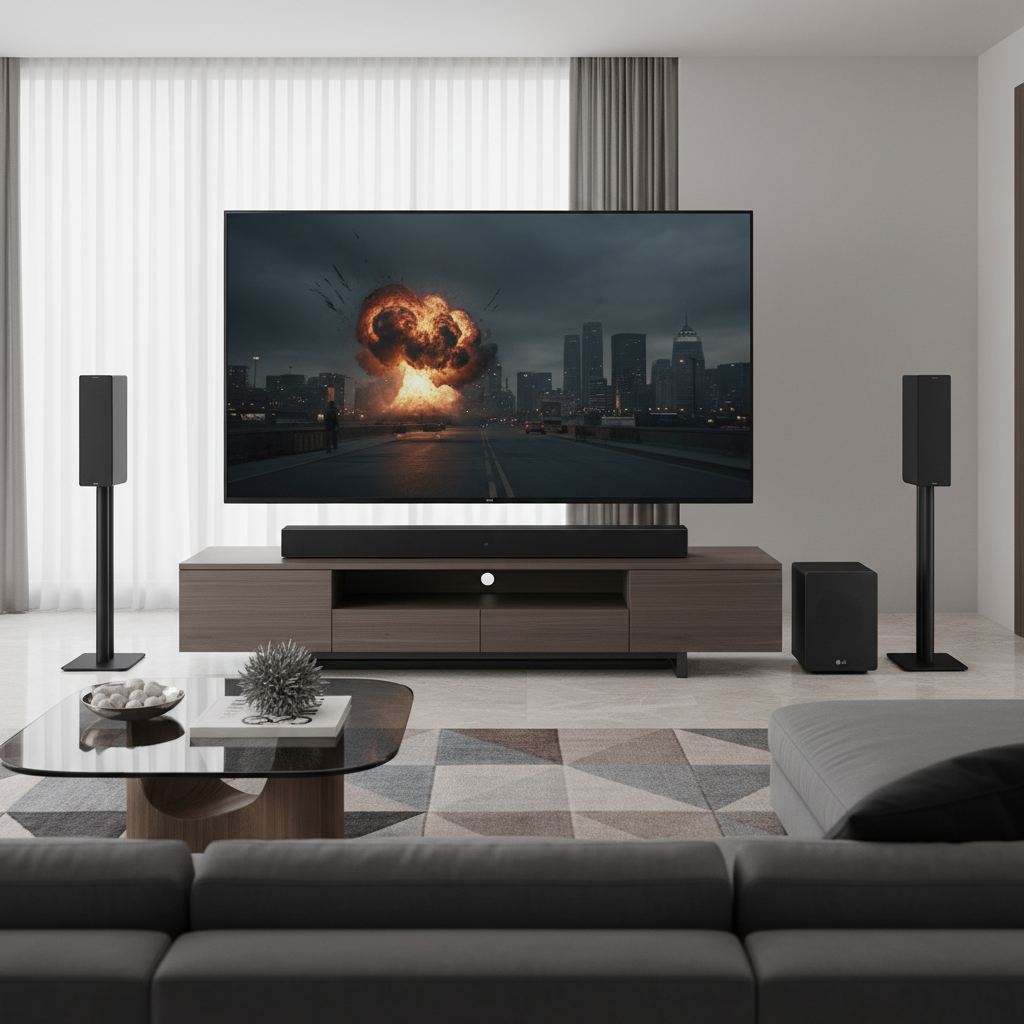
In an age where immersive home theater sound often comes with a premium price tag, finding a balance between cutting-edge technology and affordability can feel like a quest. If you’re yearning for the captivating, three-dimensional audio experience of Dolby Atmos without draining your wallet, the Majority Sierra Plus soundbar positions itself as a compelling contender. Can a “cheap Atmos” soundbar truly deliver on its promise? This review dives deep into the Majority Sierra Plus, exploring its features, performance, and whether it’s the right fit to transform your living room into a cinematic soundscape on a budget.
Understanding Dolby Atmos on a Budget: What to Expect
Dolby Atmos revolutionizes audio by adding a height dimension, allowing sounds to move in three-dimensional space, providing a more immersive and realistic experience. In soundbars, this is typically achieved through up-firing speakers that bounce sound off your ceiling. However, achieving a “true” cinema-like Atmos experience often requires dedicated speakers and a more elaborate setup. Budget-friendly Atmos soundbars, like the Majority Sierra Plus, aim to simulate this effect effectively within their price point. They deliver a sense of height and expansive soundstage that significantly surpasses standard stereo or surround sound, though they might not replicate the precision of high-end systems. Setting realistic expectations is key: you’re getting a taste of Atmos, a substantial upgrade from TV speakers, rather than a full, uncompromising replication of a theater environment.
Majority Sierra Plus: Features at a Glance
The Majority Sierra Plus is designed as a 2.1.2 channel system, meaning it features two main front channels, one wireless subwoofer for bass, and two up-firing speakers to create those crucial height effects for Dolby Atmos. This configuration is a significant upgrade for any home entertainment system.
Key Specifications and Connectivity:
- Speaker Channels: 2.1.2 (Soundbar with 4 full-range drivers, 2 up-firing drivers; 1x 5.25-inch wireless subwoofer).
- Total Output: 400 Watts.
- Dolby Atmos: Yes (decodes lossy Dolby Atmos via HDMI ARC).
- Connectivity Options:
- 1 x HDMI ARC (for connecting to your TV).
- 2 x HDMI 2.0 4K HDR passthrough inputs (for connecting external devices like gaming consoles or streaming sticks directly to the soundbar). This is a notable inclusion for its price point.
- Digital Optical input.
- Bluetooth 4.2 with SBC and AAC codec compatibility (for wireless music streaming).
- 3.5mm AUX input.
- USB port (supports MP3, FLAC, WAV, WMA).
- Limitations: It does not feature HDMI eARC (meaning it can’t handle lossless Dolby Atmos audio from Blu-ray players) and lacks DTS support.
- Sound Modes: Includes ‘News’, ‘Music’, ‘Movie’, and ‘3D’ modes, along with adjustable bass and treble.
Sound Performance Analysis: Does “Cheap Atmos” Deliver?
The most critical aspect of any soundbar is its audio performance. The Majority Sierra Plus aims to impress with its powerful delivery and Dolby Atmos capabilities, especially considering its budget-friendly price.
The Good: Immersive Sound on a Budget
|
Our Picks for the Best Soundbar in 2026
As an Amazon Associate I earn from qualifying purchases.
|
||
| Num | Product | Action |
|---|---|---|
| 1 | Sony S100F 2.0ch Soundbar with Bass Reflex Speaker, Integrated Tweeter and Bluetooth, (HTS100F), easy setup, compact, home office use with clear sound black |

|
| 2 | ULTIMEA Sound Bar with Wireless Subwoofer, 240W Peak Power, VoiceMX & BassMX, App Control, 2.1ch Soundbar for Smart TV, Adjustable Bass, HDMI, Optical, Bluetooth 6.0, Poseidon M30 (2026 Model) |
|
| 3 | Amazon Fire TV Soundbar, 2.0 speaker with DTS Virtual:X and Dolby Audio, Bluetooth connectivity |
|
| 4 | ULTIMEA 5.1CH Surround Sound Bar with Subwoofer, Dolby Atmos, VoiceMX, BassMX, APP, 300W Soundbar for Smart TV, Home Theater Surround Sound System for TV, Bluetooth 5.4, Poseidon M60 (2026 Model) |
|
| 5 | Sound Bar for Smart TV, Soundbar with Bluetooth/ARC/Opt/AUX Connect, Auto Volume Boost, 3 Equalizer Modes, 2 in 1 Detachable Soundbar for TV/PC/Gaming/Projectors |
|
| 6 | Bose TV Speaker - Soundbar for TV with Bluetooth and HDMI-ARC Connectivity, All-in-One Compact Soundbar, Includes Remote Control, Black |
|
| 7 | ULTIMEA 2.1ch Surround Sound Bar for TV, Built-in Subwoofer, Peak Power 132W, App Control, 16 Inches Bluetooth 5.4 TV Speakers Soundbar, All-in-one PC Soundbar, Opt/AUX/Wall Mount, Poseidon M20 Pro |
|
| 8 | Sonos Arc Ultra Soundbar with Dolby Atmos and Voice Control - 9.1.4 Surround Sound for TV and Music - Black |
|
| 9 | Samsung B-Series Soundbar HW B400F 2.0 ch Soundbar with Built in Subwoofer (2025 Model) One Remote Control, Surround Sound Expansion, Voice Enhance Mode |
|
| 10 | Sound Bar, 80W SoundBar for Smart TV, Bluetooth 5.3 Soundbars, 2 in 1 Detachable Home Speaker Bass Effect, Home Theater Surround Sound, ARC/Optical/AUX, for TV/PC/Gaming/Projectors (Deep Black) |
|
The Sierra Plus offers a surprisingly robust and expansive sound. Reviewers often highlight its ability to create a broad soundstage that extends well beyond the physical dimensions of the soundbar itself.
“The up-firing speakers of the Sierra Plus can clearly do their job well as does the stereo separation.” – Adam, Editor, LDN Life
For movie watchers, this translates into a more engaging experience. Dialogue is generally clear and well-projected, making it easier to follow conversations in films and TV shows, even during action-packed scenes. The wireless subwoofer, which comes with the Sierra Plus model (as opposed to the standalone Sierra), adds a significant punch to the bass, delivering rumbles and impacts that enhance cinematic explosions and dramatic scores. The loudness is excellent, maintaining balance across various volumes with minimal distortion at higher levels. While it won’t replicate a full-blown 7.1.4 Atmos system, it undeniably adds a discernible sense of height to appropriate content, making overhead effects like falling rain or flying objects feel more present.
The Less Good: Where Compromises are Made
As with any budget-focused product, certain compromises are inevitable. The treble, or high-frequency sounds, can sometimes sound “edgy” or “insubstantial,” particularly at higher volumes, lacking the refinement found in more expensive units. This can affect the clarity of certain intricate sound details. The subwoofer, while powerful, has been described as “vague and monotone” by some, lacking the nuanced definition and variation that audiophiles might desire. This limitation becomes more apparent when listening to music, where rhythmic expression might be less precise. Additionally, the soundbar lacks significant dynamic subtlety, tending to move from “loud” to “louder” rather than offering a wide range of quiet-to-loud transitions, which can reduce the overall dramatic impact in some scenes. The absence of HDMI eARC means it can only process lossy Dolby Atmos (Dolby Digital Plus), common on streaming services, but not the higher-fidelity lossless TrueHD Atmos found on 4K Blu-rays.
Design and Build Quality
The Majority Sierra Plus soundbar makes a physical statement. It’s a large unit, nearly as long as a 49-inch TV, and robustly built. While its size contributes to its expansive sound, it also means you need to consider your TV setup; its height might obstruct the bottom of your TV screen if your television has a low stand. Majority provides wall-mounting brackets for those who prefer that option. The soundbar itself features plastics and metal grilles that feel well-assembled and durable, defying its affordable price point. The accompanying wireless subwoofer is also well-constructed, usually with a vinyl wrap over MDF, and designed for longevity. One minor aesthetic drawback noted by reviewers is the “always-on” front display, which constantly shows volume information, though it briefly displays input selection or audio format.
Usability and Setup
Setting up the Majority Sierra Plus is generally straightforward. The wireless connection between the soundbar and its subwoofer is typically seamless, pairing automatically upon power-up. The soundbar offers physical buttons on top for basic controls, but the included remote control is robust and tactile, providing access to all functions, including input selection, volume, and EQ presets (News, Music, Movie, 3D). The two HDMI passthrough ports are a practical addition, helping to reduce cable clutter by allowing multiple devices to connect to the soundbar before sending a single HDMI cable to your TV’s ARC port.
Value for Money: Is the Sierra Plus Worth It?
The Majority Sierra Plus undeniably offers compelling value for its price point. It democratizes Dolby Atmos, making a taste of immersive audio accessible to a wider audience. For those upgrading from built-in TV speakers, the difference in sound quality and spatial immersion will be significant.
“The Majority Sierra Plus delivers more of a Dolby Atmos effect than you’d expect for the price, and the sound is big and powerful.” – TechRadar Verdict
It’s particularly well-suited for users who prioritize loud, impactful sound and a perceptible height dimension for movies and games, without necessarily needing the ultra-fine detail or pristine treble of high-end systems. If your TV has limited HDMI inputs, the passthrough ports add further value. However, if critical music listening or the highest fidelity audio is your primary concern, or if you expect a truly “full-on” Dolby Atmos experience comparable to dedicated home cinema systems, you might find its limitations more apparent. In essence, it’s an incredible value for budget-conscious users seeking a significant upgrade in home theater sound with a notable Dolby Atmos presence.
Buying Guide: Is the Majority Sierra Plus Right for You?
Deciding if the Majority Sierra Plus is the ideal soundbar involves aligning its capabilities with your specific needs and expectations.
Determine Your Usage Needs
- Movies and Gaming: If your main goal is to enhance film soundtracks and game audio with a more immersive, spacious, and impactful sound, the Sierra Plus excels. Its robust bass and noticeable Atmos effects will significantly elevate your entertainment.
- Music Listening: While capable, it’s not primarily designed for audiophile-grade music reproduction. If music fidelity is paramount, its treble characteristics and subwoofer nuances might leave some wanting more. The ‘Music’ mode does improve the experience, but don’t expect pristine audio.
- Dialogue Clarity: For TV shows and news, the clear dialogue projection and ‘News’ mode are beneficial.
Consider Your Space and TV Setup
- Room Size: The Sierra Plus is powerful and can fill a medium to large room effectively.
- TV Stand Height: Given its considerable height, ensure it won’t block the bottom of your TV screen or IR receiver. Wall mounting is an option with included brackets.
- Aesthetics: Its large size and “always-on” display might be factors for some in terms of integration with home decor.
Connectivity Requirements
- HDMI ARC is a must: Your TV needs an HDMI ARC port for the soundbar to function optimally and receive Dolby Atmos signals.
- External Devices: The two HDMI passthrough ports are excellent if you have multiple devices (e.g., a streaming box and a game console) that you want to connect to the soundbar directly.
- No eARC or DTS: If you primarily consume 4K Blu-ray content and desire lossless Dolby Atmos or require DTS support, this soundbar’s limitations might be a dealbreaker.
Budget Expectations
The Sierra Plus offers exceptional value for its price, bringing Dolby Atmos within reach of many. It’s a significant upgrade from TV speakers without the high cost of premium Atmos systems. Be prepared for a “taste” of Atmos rather than a perfect replication.
Final Thoughts on Purchase and Installation
Purchase from reputable retailers, especially those offering the 3-year extended warranty upon registration, which speaks to Majority’s confidence in their product. Installation is typically plug-and-play, with the wireless subwoofer simplifying placement. You can experiment with sound modes and EQ settings to tailor the audio to your preference.
Conclusion
The Majority Sierra Plus stands out as a strong contender in the realm of budget Dolby Atmos soundbars. It confidently delivers a big, powerful sound with a discernible sense of height and width that dramatically improves upon standard TV audio. While it makes a few concessions in treble refinement, subwoofer detail, and dynamic subtlety to achieve its accessible price point, its robust feature set, including multiple HDMI inputs and a wireless subwoofer, offers tremendous value. For those seeking an affordable yet impactful upgrade to their home entertainment system, bringing the magic of Dolby Atmos within reach without compromise, the Sierra Plus is an easy recommendation. Are you ready to elevate your home cinema experience on a budget?
Frequently Asked Questions
What is the difference between Majority Sierra and Sierra Plus?
The key difference lies in the subwoofer. The Majority Sierra is a standalone soundbar, while the Sierra Plus (the subject of this review) includes a powerful 6.5-inch wireless subwoofer, significantly enhancing bass performance and overall audio impact. While the standalone Sierra performs admirably, the Plus version offers a much fuller and more cinematic experience for those who appreciate deep, rumbling bass.
Does the Majority Sierra Plus support lossless Dolby Atmos?
No, the Majority Sierra Plus supports lossy Dolby Atmos (Dolby Digital Plus) via its HDMI ARC connection. This is the common format used by major streaming services like Netflix and Disney+. However, it does not support lossless Dolby Atmos (Dolby TrueHD) typically found on 4K Blu-rays, as that requires an HDMI eARC port which this soundbar does not have.
Is the Majority Sierra Plus suitable for music?
While the Majority Sierra Plus can play music, its performance is generally more geared towards movies and games. Reviewers note that its treble can be a bit harsh and the subwoofer less defined for intricate musical passages. If music fidelity is your top priority, you might find more balanced options at a similar price point, though its ‘Music’ mode can certainly improve the experience.
What are the dimensions of the Majority Sierra Plus soundbar and subwoofer?
The soundbar measures approximately 960 x 108 x 81 mm (37.8 x 4.3 x 3.2 inches), making it quite substantial in length and height. The wireless subwoofer is roughly 306 x 190 x 370 mm (12 x 7.5 x 14.6 inches). Its size should be considered to ensure it fits comfortably beneath your TV without obstructing the screen.
Does the Majority Sierra Plus have a center channel for dialogue?
The Majority Sierra Plus operates as a 2.1.2 system, meaning it primarily uses left and right channels for front sound, along with up-firing speakers and a subwoofer. It does not have a dedicated physical center channel driver. However, it processes dialogue effectively, and reviewers praise its clear and well-projected vocals. The ‘News’ mode is also specifically designed to enhance dialogue clarity.