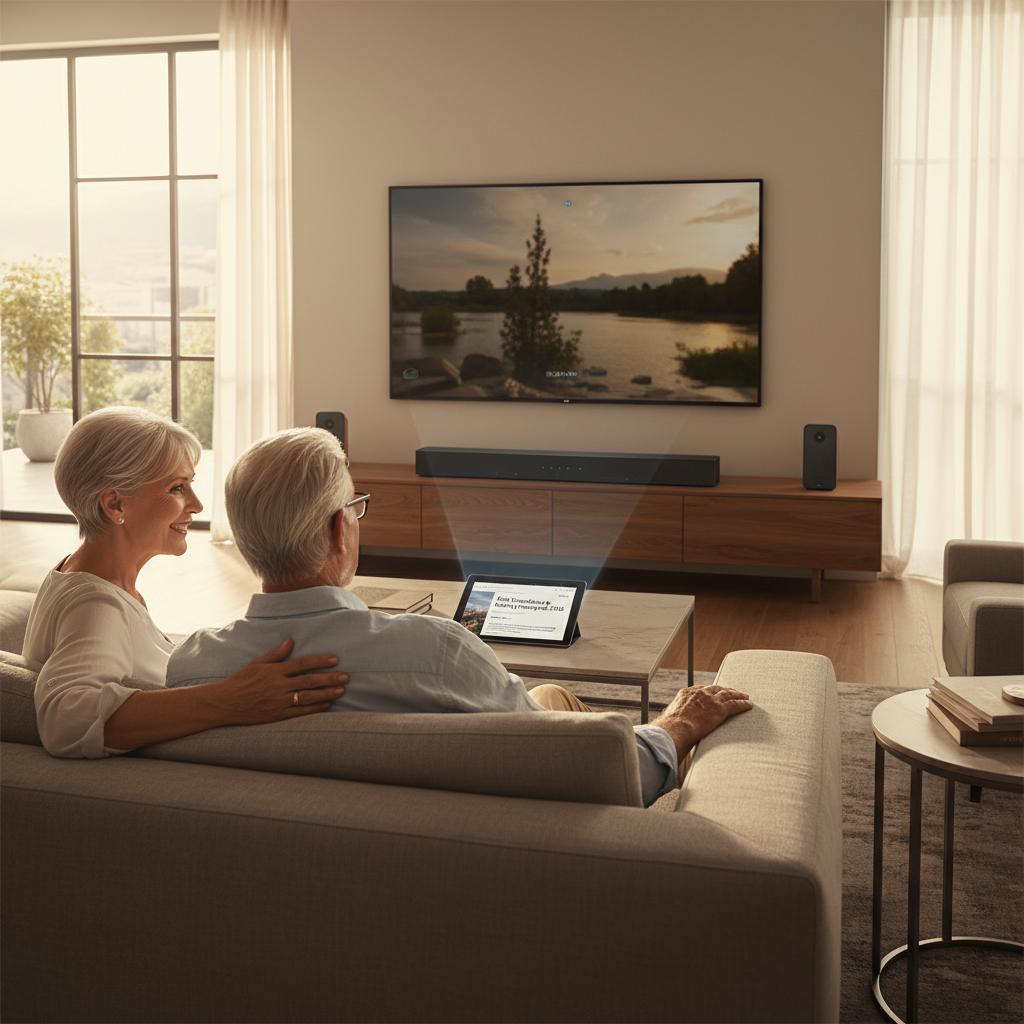
Elevating your home entertainment experience often hinges on one crucial element: exceptional audio. A soundbar, designed to deliver immersive sound, is a fantastic upgrade for any TV setup. However, simply plugging it in might not unlock its full potential. To truly transform your living room into a cinematic or concert-like space, calibrating your soundbar’s audio settings is essential. This guide will walk you through everything you need to know, from understanding the basics to advanced fine-tuning, ensuring you achieve the clearest, most balanced, and most impactful sound your system can offer.
Understanding Soundbar Audio Calibration
Soundbar audio calibration is the process of precisely adjusting your sound system’s settings to match the unique acoustics of your room and your personal listening preferences. Just as a perfectly framed picture enhances visuals, a well-calibrated soundbar ensures that every sound—from whispered dialogue to explosive action—is delivered with accuracy and clarity. Without calibration, even the most expensive soundbar might sound muffled, unbalanced, or simply not as dynamic as it should.
Modern soundbars often come with “auto-calibration” features, using a built-in or external microphone to analyze your room and automatically adjust settings. While convenient, these automated setups are not always perfect and can benefit greatly from manual fine-tuning. For systems without auto-calibration, a hands-on approach is necessary to achieve optimal audio.
Essential Tools for Soundbar Calibration
To embark on your soundbar calibration journey, gathering a few key tools will make the process smoother and more accurate:
- Sound Level Meter (Decibel Meter): This is arguably the most crucial tool for manual calibration. It measures sound pressure levels (SPLs) in decibels (dB), allowing you to precisely balance the volume of each speaker. You can purchase a dedicated digital SPL meter or use a reliable smartphone app, though dedicated meters generally offer higher accuracy.
- Tape Measure: Accurate distance measurements are vital for determining speaker delays and ensuring sound reaches your listening position simultaneously from all channels.
- Soundbar Remote Control: You’ll need this to navigate your soundbar’s on-screen menu or direct controls to adjust various settings.
- Calibration Microphone (Optional): If your soundbar or home theater receiver features an auto-calibration system (e.g., JBL, LG), it typically comes with a dedicated microphone that plugs into the unit. This microphone is designed to work seamlessly with the system’s software.
- Test Tones: Many soundbars or AV receivers have built-in test tone generators (e.g., pink noise, white noise). If yours doesn’t, you might find online resources or apps that provide these.
Step-by-Step Guide to Calibrate Your Soundbar
Calibrating your soundbar involves a systematic approach, whether you’re relying on automatic features or diving into manual adjustments.
Phase 1: Preparation and Placement
|
Our Picks for the Best Soundbar in 2026
As an Amazon Associate I earn from qualifying purchases.
|
||
| Num | Product | Action |
|---|---|---|
| 1 | Samsung B-Series Soundbar HW B400F 2.0 ch Soundbar with Built in Subwoofer (2025 Model) One Remote Control, Surround Sound Expansion, Voice Enhance Mode |

|
| 2 | ULTIMEA Sound Bar with Wireless Subwoofer, 240W Peak Power, VoiceMX & BassMX, App Control, 2.1ch Soundbar for Smart TV, Adjustable Bass, HDMI, Optical, Bluetooth 6.0, Poseidon M30 (2026 Model) |
|
| 3 | Sound Bar, 80W SoundBar for Smart TV, Bluetooth 5.3 Soundbars, 2 in 1 Detachable Home Speaker Bass Effect, Home Theater Surround Sound, ARC/Optical/AUX, for TV/PC/Gaming/Projectors (Deep Black) |
|
| 4 | Bose TV Speaker - Soundbar for TV with Bluetooth and HDMI-ARC Connectivity, All-in-One Compact Soundbar, Includes Remote Control, Black |
|
| 5 | Amazon Fire TV Soundbar, 2.0 speaker with DTS Virtual:X and Dolby Audio, Bluetooth connectivity |
|
| 6 | Sony S100F 2.0ch Soundbar with Bass Reflex Speaker, Integrated Tweeter and Bluetooth, (HTS100F), easy setup, compact, home office use with clear sound black |
|
| 7 | ULTIMEA 5.1CH Surround Sound Bar with Subwoofer, Dolby Atmos, VoiceMX, BassMX, APP, 300W Soundbar for Smart TV, Home Theater Surround Sound System for TV, Bluetooth 5.4, Poseidon M60 (2026 Model) |
|
| 8 | ULTIMEA 2.1ch Surround Sound Bar for TV, Built-in Subwoofer, Peak Power 132W, App Control, 16 Inches Bluetooth 5.4 TV Speakers Soundbar, All-in-one PC Soundbar, Opt/AUX/Wall Mount, Poseidon M20 Pro |
|
| 9 | Sound Bar for Smart TV, Soundbar with Bluetooth/ARC/Opt/AUX Connect, Auto Volume Boost, 3 Equalizer Modes, 2 in 1 Detachable Soundbar for TV/PC/Gaming/Projectors |
|
| 10 | Sonos Arc Ultra Soundbar with Dolby Atmos and Voice Control - 9.1.4 Surround Sound for TV and Music - Black |
|
Before you touch any settings, proper preparation is key.
Room Acoustics and Quiet Environment
A quiet room is a prerequisite for accurate calibration. Turn off any fans, air conditioners, or other appliances that produce ambient noise. The goal is to minimize external sounds that could interfere with the sound level meter’s readings or your auditory perception. Clear any obstacles between your soundbar and listening position, especially if you have detachable rear speakers or a surround sound setup.
Optimal Soundbar and Speaker Placement
The physical placement of your soundbar and any accompanying speakers significantly impacts sound quality.
- Soundbar: Position the soundbar directly below your TV, centered, and at or near ear height when you are seated. Avoid placing it inside a closed cabinet, which can muffle sound.
- Subwoofer: While less direction-sensitive, placing your subwoofer in a corner or against a wall can enhance bass response. Experiment with placement; even small shifts can make a big difference. Avoid placing it inside furniture.
- Surround Speakers (if applicable): If your system includes satellite or detachable rear speakers, place them to the sides or slightly behind your main listening position. Ensure left (L) and right (R) speakers are correctly identified and positioned. For systems like the JBL BAR 9.1, ensure a clear line of sight between the soundbar and detachable rear speakers.
Ensuring Correct Connections
Double-check all your cables. Ensure HDMI, optical, or other audio connections are securely in place and that all speakers (including the subwoofer) are correctly paired or wired. Run a quick audio test to confirm all components are producing sound.
Phase 2: Automatic Calibration (If Available)
Many modern soundbars simplify calibration with automated systems. This is often the quickest way to get a good baseline.
- Initiate Auto-Calibration: Consult your soundbar’s manual for specific instructions. Typically, you’ll press and hold a button on the remote (e.g., “HDMI” on a JBL BAR 9.1) until a “CALIBRATION” message appears.
- Follow On-Screen Prompts: The system will guide you, often instructing you to place the calibration microphone at your primary listening position.
- Wait for Test Tones: The soundbar will emit a series of test tones through each speaker, measuring their output and the room’s acoustics.
- Completion: The system will usually display “DONE” upon successful calibration. Some systems, like the JBL BAR 9.1, might have two steps: calibrating the “listening zone” (speakers beside seating) and “speaker position” (speakers in desired locations). LG soundbars feature “AI Room Calibration” that automatically optimizes sound for your space.
Even after auto-calibration, proceed to Phase 3 for manual fine-tuning to achieve truly personalized audio.
Phase 3: Manual Calibration (For Precision or Non-Auto Systems)
Manual calibration allows for granular control and can significantly refine sound quality, even after an automatic setup.
Setting Speaker Distances
This step accounts for the time it takes for sound to travel from each speaker to your ears.
- Access Settings: Navigate to your soundbar’s (or receiver’s) “Speaker Setup” or “Distance” settings in the on-screen menu.
- Measure Accurately: Use a tape measure to determine the precise distance from the front grille of each speaker to the center of your primary listening position (where your head would be).
- Input Measurements: Enter these exact measurements (in feet or inches, as prompted) for each speaker (left, center, right, surround left, surround right, subwoofer) into your soundbar’s settings. Precision here ensures all sound arrives at your ears simultaneously.
Adjusting Crossover Frequencies
The crossover frequency defines the point at which your main speakers hand off low-frequency sounds to your subwoofer.
- Understand Crossover: Main speakers are generally better at producing mid-range and high frequencies, while subwoofers excel at deep bass. Crossover ensures each component handles the frequencies it’s best at.
- Find Speaker Frequency Response: Check your soundbar or speaker’s technical specifications for its “frequency response” and look for the lowest frequency it can reproduce (e.g., 60 Hz).
- Set Crossover: A common recommendation is to set the crossover point about 20 Hz higher than your speaker’s lowest rated frequency. For example, if your speakers go down to 60 Hz, set the crossover to 80 Hz. This gives your main speakers a cleaner output and lets the subwoofer handle the demanding low frequencies. If your speakers are of different sizes, you might need individual crossover settings.
- Subwoofer Crossover: Your subwoofer may have its own crossover setting. You can often choose whether it reproduces bass sent to your front speakers or exclusively handles low-frequency effects (LFE). Experiment to find what sounds best to your ears.
Balancing Speaker Levels (Volume)
This step ensures each speaker is playing at the same relative volume at your listening position, creating a balanced soundstage.
- Using Test Tones: Access your soundbar’s “Test Tone” or “Speaker Level” settings. The system will typically play a pink noise or white noise tone through one speaker at a time.
- Manual Adjustment (by ear): If you don’t have a decibel meter, listen carefully as the tone plays through each speaker. Adjust the individual channel level until each speaker sounds equally loud at your listening spot. Start with a speaker you’re happy with and match the others to it.
- Using a Decibel Meter (for accuracy):
- Position Meter: Sit in your central listening position. Hold the decibel meter at ear height, pointing its microphone straight up towards the ceiling. Avoid pointing it directly at individual speakers, as this can skew readings.
- Set Meter: Set the meter’s dial to a reference level (e.g., 70 dB is a common recommendation, but any consistent level works). Set the weighting to “C” and response to “Slow.”
- Adjust Levels: As the test tone plays through each speaker, observe the decibel meter. Adjust the individual speaker’s volume level in your soundbar settings until the meter consistently reads your target dB level (e.g., 70 dB) for all channels.
Calibrating the Subwoofer
The subwoofer requires special attention to ensure powerful bass without being boomy or overpowering.
- Initial Setting: Set your subwoofer’s volume control to the halfway point or its manufacturer’s recommended level.
- Test Tone: Engage the subwoofer’s test tone through your soundbar settings.
- Adjust by Ear: Increase the subwoofer’s volume until you can just feel it starting to “shake the room” without it being overwhelmingly loud or muddy. You want the bass to be impactful, not distracting.
- Fine-Tune with Content: Play a movie scene or music track with familiar bass. Adjust the subwoofer’s volume slightly up or down until it integrates seamlessly with the rest of your system, providing a solid foundation without drawing attention to itself.
Advanced Tips for Fine-Tuning
Beyond the core calibration, these tips can help you squeeze even more performance from your soundbar:
- Equalizer (EQ) Adjustments: Some soundbars offer an equalizer to tweak specific frequency ranges (bass, mid-range, treble). Use these sparingly and make small adjustments to suit your personal taste, addressing any remaining harshness or dullness in the sound.
- Test with Familiar Content: Once calibrated, watch a movie, listen to music, or play a game you know well. Pay attention to dialogue clarity, surround effects, and bass impact. These real-world scenarios will reveal if further minor tweaks are needed.
- Explore Sound Modes: Many soundbars offer various sound modes (Movie, Music, Game, Night Mode, Dialogue Enhance). Experiment with these to see which best suits the content you’re consuming. Remember, calibration creates a neutral baseline, and sound modes add specific enhancements.
When to Recalibrate Your Soundbar
Calibration isn’t a one-and-done process. Recalibrate your soundbar whenever significant changes occur in your setup or environment:
- Changes to Equipment: If you replace your soundbar, add new speakers, swap out your subwoofer, or upgrade any audio component.
- Changes to Room Layout: Moving furniture, adding rugs, or changing your primary listening position can alter room acoustics and necessitate recalibration.
- Speaker Relocation: If you move any of your speakers, even slightly, their distances and relative levels will change.
“Sound calibration isn’t just a technical chore; it’s an art form that transforms your listening space into an acoustically harmonious environment. Paying attention to these details can unlock a level of immersion you didn’t know your soundbar was capable of.” – Max Pinch, Home Theater Expert
Conclusion
Calibrating your soundbar audio settings is a fundamental step towards unlocking the full potential of your home entertainment system. By systematically addressing speaker placement, distances, crossover frequencies, and individual channel levels, you can achieve a truly balanced, clear, and immersive sound experience that transforms movies, music, and games. Whether you opt for an automatic setup or a meticulous manual approach, the effort invested in calibration will undoubtedly pay dividends in audio enjoyment. So, take the time to fine-tune your system, and prepare to rediscover your favorite content with unparalleled sonic fidelity.
What are you waiting for? Dive into your soundbar settings and elevate your audio game today!
Frequently Asked Questions
How often should I calibrate my soundbar?
You should recalibrate your soundbar whenever you change any audio component, move speakers, or significantly alter your room’s layout or primary listening position. Otherwise, annual checks can help maintain optimal performance.
Can I use my phone as a decibel meter for calibration?
Yes, many smartphone apps can function as decibel meters. While not as accurate as dedicated hardware, they offer a good enough approximation for most home users, especially when following the detailed steps for balancing speaker levels.
What is speaker crossover, and why is it important for soundbars?
Speaker crossover is the frequency point at which low-frequency sounds are redirected from your main speakers to your subwoofer. It’s crucial because it allows each speaker to operate within its optimal frequency range, preventing distortion and ensuring cleaner, more impactful bass and clearer mid-range and treble from your soundbar.
Does soundbar placement really matter for calibration?
Absolutely. Proper soundbar and speaker placement forms the foundation of good audio. Even the best calibration cannot fully correct for poorly positioned speakers, as it directly impacts how sound waves travel and reflect within your room.