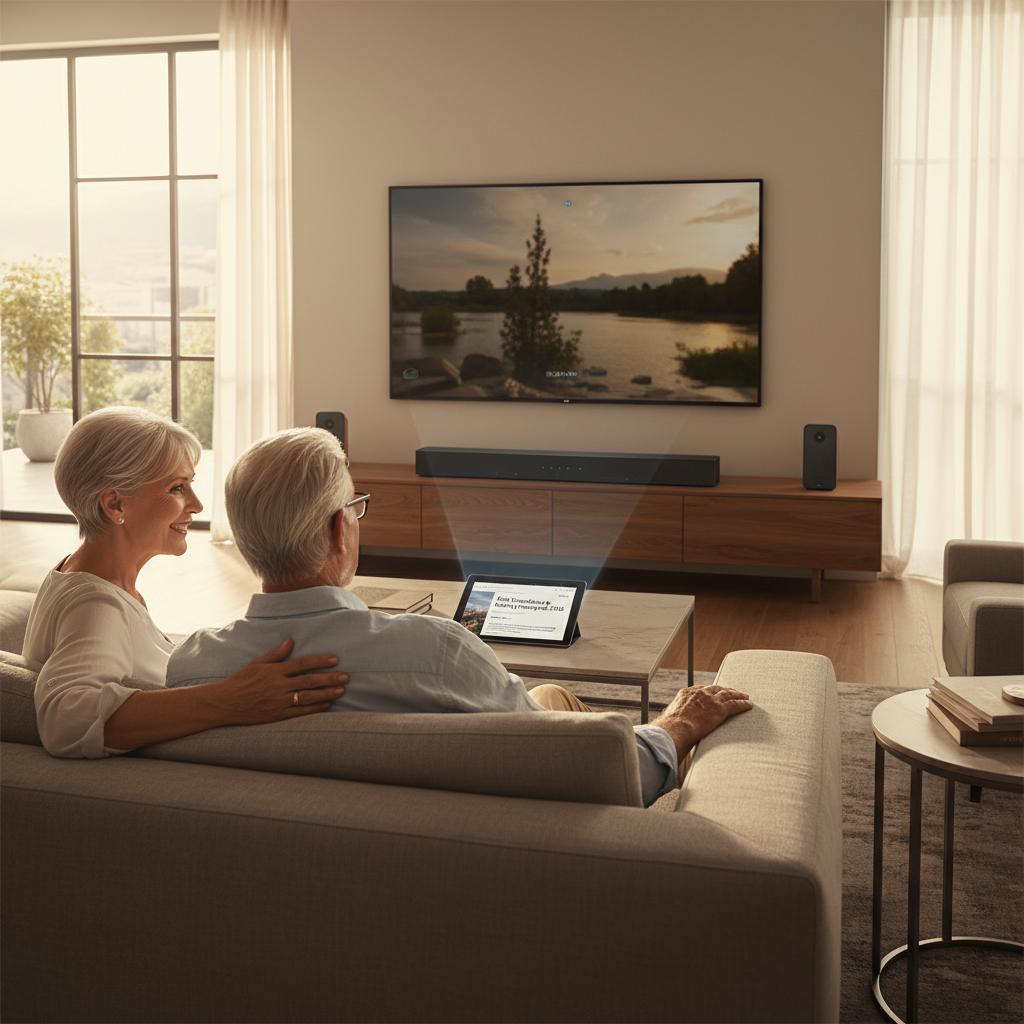
Tired of unsightly cables cluttering your entertainment area, detracting from your home’s aesthetic? Tangled wires behind your wall-mounted TV and soundbar can quickly turn a sleek setup into a messy eyesore. Fortunately, achieving a clean, professional look is a rewarding DIY project that significantly enhances your living space. By carefully concealing those pesky soundbar wires within your wall, you can transform your entertainment zone into a streamlined, modern haven.
This comprehensive guide will walk you through everything you need to know, from understanding crucial safety regulations and gathering the right tools to executing a step-by-step installation that leaves you with nothing but pristine walls and immersive audio. Get ready to elevate your home theater experience with a seamless, wire-free finish.
Understanding the “Why”: Benefits of Hiding Soundbar Wires
Beyond simply improving appearances, concealing your soundbar’s wiring offers a multitude of practical advantages. The most immediate and noticeable benefit is the enhanced aesthetic appeal, creating a minimalist and sophisticated environment that highlights your technology, not its connections. Gone are the days of distracting cable clusters that disrupt the visual harmony of your room.
Furthermore, tidying up wires drastically improves safety by eliminating tripping hazards, especially important in households with children or pets. A well-managed cable system also reduces dust accumulation, making cleaning easier and potentially prolonging the life of your equipment by improving airflow. Ultimately, this professional finish can even contribute to the perceived value and modern appeal of your home.
Essential Safety First: Code Compliance for In-Wall Wiring
Before embarking on any in-wall wiring project, understanding and adhering to electrical safety codes is paramount. This is the most critical aspect of the entire process. It is a fundamental electrical code violation and a severe fire hazard to run standard power cords (like the one that comes with your soundbar) directly inside your wall cavity. These cords are not designed for concealed use and can overheat, leading to dangerous situations.
The correct, code-compliant solution for delivering power to an in-wall soundbar involves using a dedicated in-wall power extension kit. These specialized kits typically include a pre-wired power cable and recessed power modules that safely route power from an existing outlet to a new one installed behind your soundbar. Alternatively, you can have a qualified electrician install a new, dedicated recessed electrical outlet behind your soundbar. For low-voltage cables such as HDMI, optical audio, and speaker wires, running them inside the wall is generally safe, provided you use appropriate cable pass-through plates. Always verify with local building and electrical codes to ensure your DIY project meets all safety requirements.
What You’ll Need: Tools and Materials for Your DIY Project
Successfully hiding your soundbar wires requires a few essential tools and materials. Having everything on hand before you begin will ensure a smooth and efficient installation.
Tools
- Stud Finder: Absolutely critical for locating wall studs, which you must avoid cutting into, and ensuring you have an empty cavity for running cables.
- Tape Measure & Pencil: For precise marking of where to cut holes and place mounting brackets.
- Drywall Saw or Jab Saw: Designed for easily cutting clean openings in drywall.
- Screwdriver (Phillips and Flathead): To install wall plates, secure mounts, and tighten screws.
- Fish Tape or Magnetic Wire Pulling Kit: Indispensable for guiding and pulling cables through the wall cavity.
- Utility Knife: Useful for minor trimming or opening packaging.
- Level: Ensures your soundbar and mounting points are perfectly straight.
- Safety Glasses and Gloves: Essential personal protective equipment for any DIY project involving cutting.
|
Our Picks for the Best Soundbar in 2026
As an Amazon Associate I earn from qualifying purchases.
|
||
| Num | Product | Action |
|---|---|---|
| 1 | Sound Bar for Smart TV, Soundbar with Bluetooth/ARC/Opt/AUX Connect, Auto Volume Boost, 3 Equalizer Modes, 2 in 1 Detachable Soundbar for TV/PC/Gaming/Projectors |

|
| 2 | Sound Bar, 80W SoundBar for Smart TV, Bluetooth 5.3 Soundbars, 2 in 1 Detachable Home Speaker Bass Effect, Home Theater Surround Sound, ARC/Optical/AUX, for TV/PC/Gaming/Projectors (Deep Black) |
|
| 3 | ULTIMEA 2.1ch Surround Sound Bar for TV, Built-in Subwoofer, Peak Power 132W, App Control, 16 Inches Bluetooth 5.4 TV Speakers Soundbar, All-in-one PC Soundbar, Opt/AUX/Wall Mount, Poseidon M20 Pro |
|
| 4 | ULTIMEA 5.1CH Surround Sound Bar with Subwoofer, Dolby Atmos, VoiceMX, BassMX, APP, 300W Soundbar for Smart TV, Home Theater Surround Sound System for TV, Bluetooth 5.4, Poseidon M60 (2026 Model) |
|
| 5 | Bose TV Speaker - Soundbar for TV with Bluetooth and HDMI-ARC Connectivity, All-in-One Compact Soundbar, Includes Remote Control, Black |
|
| 6 | ULTIMEA Sound Bar with Wireless Subwoofer, 240W Peak Power, VoiceMX & BassMX, App Control, 2.1ch Soundbar for Smart TV, Adjustable Bass, HDMI, Optical, Bluetooth 6.0, Poseidon M30 (2026 Model) |
|
| 7 | Amazon Fire TV Soundbar, 2.0 speaker with DTS Virtual:X and Dolby Audio, Bluetooth connectivity |
|
| 8 | Samsung B-Series Soundbar HW B400F 2.0 ch Soundbar with Built in Subwoofer (2025 Model) One Remote Control, Surround Sound Expansion, Voice Enhance Mode |
|
| 9 | Sony S100F 2.0ch Soundbar with Bass Reflex Speaker, Integrated Tweeter and Bluetooth, (HTS100F), easy setup, compact, home office use with clear sound black |
|
| 10 | Sonos Arc Ultra Soundbar with Dolby Atmos and Voice Control - 9.1.4 Surround Sound for TV and Music - Black |
|
Materials
- In-Wall Power Extension Kit: This is crucial if your soundbar uses a standard power cord. It provides a safe, code-compliant way to extend an existing power outlet to a new recessed outlet behind your soundbar.
- Low-Voltage Cable Pass-Through Plates (2-3): These plastic plates frame the holes where your low-voltage cables (HDMI, optical) enter and exit the wall, providing a clean finish.
- HDMI Cables: Ensure you have enough length and consider high-speed, in-wall rated options, although for short residential runs, standard high-quality HDMI cables are often sufficient for in-wall concealment.
- Optical Audio Cable (if applicable): If your soundbar uses an optical connection, ensure you have the correct type and length.
- Speaker Wire (for passive soundbars): Less common for modern soundbars, but if you have a passive model, you’ll need speaker wire.
- Wall Mounting Bracket for Soundbar (if applicable): If you plan to wall-mount your soundbar, ensure you have the appropriate bracket.
Step-by-Step Guide: Hiding Your Soundbar Wires in the Wall
With your tools and materials ready, follow these steps to achieve a seamless, wire-free soundbar setup.
Step 1: Planning and Preparation
Begin by carefully planning the placement of both your TV and soundbar. If your TV is already mounted, determine the ideal location for your soundbar directly below it. Use your stud finder to locate and mark any wall studs in the areas where you plan to cut holes. It is critical to avoid these studs, as they are structural and cannot be cut. Once you’ve identified clear sections of drywall, measure and precisely mark the entry point behind your TV (or existing TV wall plate) and the exit point directly behind your soundbar. Ensure these marked holes will be fully concealed by your devices or their mounting brackets and are large enough to accommodate the cable connectors.
Step 2: Cutting the Wall Openings
Using your drywall saw or jab saw, carefully cut out the marked openings for your low-voltage cable pass-through plates and any recessed power modules. Take your time, starting with small cuts and gradually expanding if necessary. Remember that these plates are designed to cover the edges of your cuts, so perfect precision isn’t strictly necessary, but clean lines will make installation easier. Always wear safety glasses and gloves during this step to protect yourself from dust and sharp edges.
Step 3: Running the Cables Through the Wall
This is where the fish tape or magnetic wire pulling kit comes in handy. Begin by dropping your low-voltage cables (HDMI, optical, etc.) from the upper opening (behind the TV). If using a fish tape, feed it down until you can retrieve it from the lower opening (behind the soundbar). Secure your cables to the fish tape and pull them back up through the wall cavity. For in-wall power extension kits, follow the manufacturer’s instructions for connecting and routing the pre-wired power modules through the wall, ensuring they are correctly positioned at the top and bottom openings.
Step 4: Installing Wall Plates and Connecting Wires
Once your cables are fished through, install the low-voltage cable pass-through plates into the cut openings, securing them according to their design (often with small tabs that tighten against the drywall). Next, install your recessed power modules/outlets as per the kit’s instructions. Carefully connect your HDMI, optical, and speaker wires to their respective inputs and outputs on your TV and soundbar. Finally, plug your soundbar’s power cord into the newly installed recessed power outlet. Double-check all connections to ensure they are snug and correct.
Step 5: Mounting Your Soundbar and Final Checks
With the wiring neatly concealed, proceed to mount your soundbar securely to the wall, if applicable. Once mounted, perform a thorough test of your soundbar, TV, and all connected devices. Play some audio and video content to ensure all connections are working correctly and there are no issues with sound or picture. Take a moment to appreciate your new, clutter-free entertainment space. Any remaining visible wires should be minimal and easily managed with small cable ties or clips.
Troubleshooting Common Issues
Even with careful planning, DIY projects can sometimes encounter minor hurdles. Here are a few common issues and how to address them:
- Difficulty fishing wires: If cables get stuck, try attaching a small weight to the fish tape or using a magnetic wire pulling kit, which offers more control. Sometimes, a gentle nudge or wiggling can help cables navigate insulation or obstacles.
- Hitting a stud: If your stud finder fails you and you accidentally cut into a stud, you will need to adjust your hole placement slightly to the left or right of the stud. If the stud is immovable for your desired placement, consider alternative cable management solutions like paintable surface raceways.
- Power issues after installation: Ensure all power connections in your in-wall power extension kit are secure and that the kit itself is plugged into a live wall outlet. Double-check that the soundbar’s power cord is firmly seated in the new recessed outlet. Remember, never run a standard extension cord inside a wall.
Conclusion
Transforming your entertainment space by hiding soundbar wires in the wall is a remarkably satisfying DIY endeavor. Not only does it deliver a sleek, minimalist aesthetic that enhances your room’s overall appeal, but it also improves safety by eliminating hazardous cable clutter. By prioritizing safety and code compliance, gathering the right tools, and meticulously following each step of the installation process, you can achieve a professional-looking result with confidence. Take pride in your newly decluttered setup, where the focus is purely on immersive sound and stunning visuals, free from the distraction of tangled wires. Now that your soundbar is seamlessly integrated, what other DIY home theater upgrades have you found most impactful in elevating your entertainment experience?
Câu Hỏi Thường Gặp
Can I run a standard extension cord in the wall?
No, it is a fire hazard and against electrical codes to run standard extension cords inside walls. You must use an approved in-wall rated power extension kit or have a dedicated recessed outlet installed by a licensed electrician.
What kind of cables can I safely run inside walls?
Low-voltage cables such as HDMI, optical audio, Ethernet, and speaker wires are generally safe to run inside walls. Always ensure they are rated for in-wall use if specified by your local codes and use appropriate wall plates.
Do I need to cut large holes in my wall?
Typically, you will cut holes just large enough to fit the cable pass-through plates or recessed power modules. These plates are designed to cover the cut edges and provide a clean, finished look, so the visible holes are minimal.
What if I hit a stud when cutting?
If you hit a stud, you will need to relocate your hole slightly to the left or right of the stud. Using a stud finder meticulously during the planning phase is crucial for preventing this issue altogether.
How do I fish wires through insulated walls?
Fishing wires through insulated walls can be more challenging due to friction. A strong magnetic wire pulling kit can be very effective, allowing you to guide the wire through the insulation more easily than traditional fish tape.
Is this a difficult DIY project?
For someone with basic DIY skills and a willingness to follow instructions carefully, this project is manageable. However, it requires careful planning, accurate measurements, and strict adherence to safety guidelines, especially regarding electrical wiring, so proceed with caution.
What is the advantage of using an in-wall power kit?
An in-wall power kit provides a safe and code-compliant way to deliver power to your soundbar (and potentially TV) without violating electrical codes by running a standard power cord inside the wall, which poses a significant fire hazard. It typically includes specialized pre-wired power modules and a connection cord.